By admin
Published: Jun 01, 2026
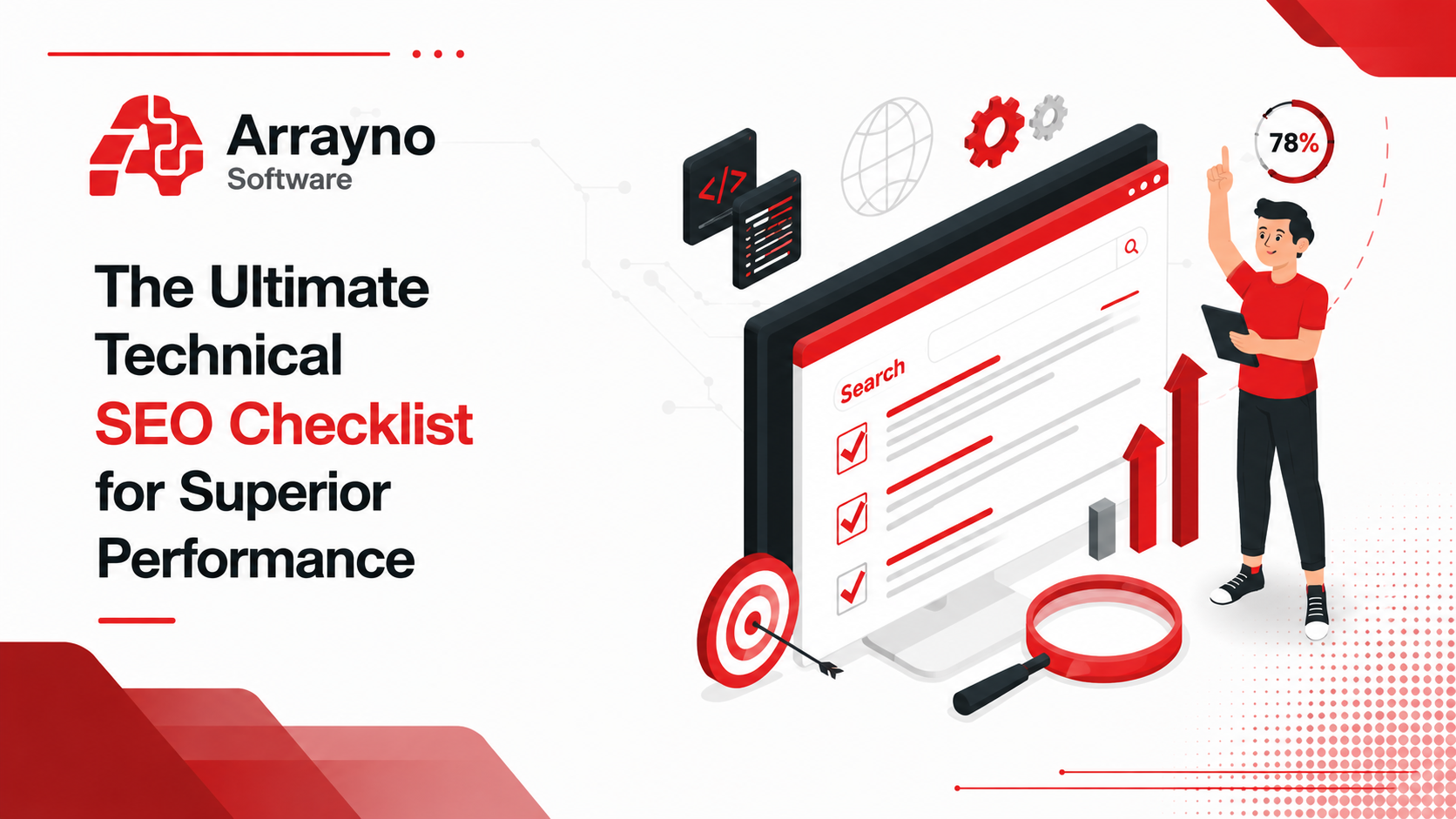
In today's competitive digital landscape, creating a website is only the beginning. To achieve higher search engine rankings and provide exceptional user experiences, businesses must focus on technical optimization. A well-structured Technical SEO Checklist ensures that your website is easy for search engines to crawl, fast for users to access, and optimized for long-term performance.
Technical SEO goes beyond content creation and backlink building. It focuses on improving your website's infrastructure, including page speed, site architecture, mobile usability, crawlability, indexability, and server performance. When implemented correctly, technical SEO helps search engines understand your website more efficiently while improving overall user satisfaction.
At Arrayno Software, we understand that a technically optimized website serves as the foundation for successful SEO campaigns. This guide will walk you through a comprehensive Technical SEO Checklist designed to improve website performance, boost rankings, and support sustainable online growth.
Technical SEO Checklist: Step-by-Step Guide for Better Page Speed & Performance
Technical SEO Audit
A Technical SEO Audit helps identify hidden issues that may negatively impact your website's visibility and performance. Conducting regular audits ensures that your website remains optimized for both users and search engines.
1. Run a Core Web Vitals Assessment
Core Web Vitals are among Google's most important ranking factors and directly influence user experience.
The three primary metrics include:
Largest Contentful Paint (LCP)
Measures how quickly the main content loads.
Recommended Score: Under 2.5 seconds
First Input Delay (FID)
Measures website responsiveness when users interact with a page.
Recommended Score: Under 100 milliseconds
Cumulative Layout Shift (CLS)
Measures visual stability and unexpected layout movements.
Recommended Score: Below 0.1
Tools such as Google PageSpeed Insights and Lighthouse can help evaluate these metrics and identify opportunities for improvement.
2. Minify CSS, JavaScript, and HTML
Large code files can significantly slow down website performance.
Minification removes:
Unnecessary spaces
Comments
Line breaks
Redundant code
Benefits include:
Faster loading speeds
Improved user experience
Reduced bandwidth usage
Better search engine performance
Code optimization should be a key component of every Technical SEO Audit.
3. Enable Browser Caching and Compression
Browser caching allows returning visitors to load pages more quickly by storing static resources locally.
Additionally, enabling:
GZIP Compression
Brotli Compression
reduces file sizes before transmission.
Benefits include:
Faster page loading
Reduced server load
Better Core Web Vitals scores
Improved SEO performance
This step alone can reduce loading times significantly and improve overall website efficiency.
4. Optimize Images and Media
Images are often among the largest elements on a webpage.
To improve performance:
Use modern formats such as WebP.
Compress image files.
Add descriptive alt text.
Implement lazy loading.
Use responsive image sizing.
Proper image optimization improves both technical SEO and user experience.
5. Review Server Response Times
Your hosting environment directly affects website performance.
A healthy website should maintain:
Time To First Byte (TTFB)
Recommended: Under 200 milliseconds
Ways to improve server performance:
Choose reliable hosting providers.
Optimize database queries.
Use caching mechanisms.
Implement a Content Delivery Network (CDN).
Fast server response times contribute to stronger search engine rankings and improved user engagement.
6. Eliminate Render-Blocking Resources
Certain CSS and JavaScript files can delay page rendering.
Best practices include:
Deferring non-critical JavaScript.
Loading scripts asynchronously.
Reducing unused CSS.
Prioritizing critical resources.
Removing render-blocking resources helps pages load faster and improves Core Web Vitals scores.
7. Implement Structured Data
Structured data helps search engines better understand website content.
Schema Markup can enhance search results through:
Rich snippets
Product ratings
FAQs
Reviews
Events
Business information
Benefits include:
Improved visibility
Higher click-through rates
Better search engine understanding
Structured data is a crucial component of advanced Technical SEO optimization.
Things to Consider Before Optimizing Page Speed & Performance
Before making technical improvements, businesses should evaluate their website infrastructure and long-term requirements.
1. Assess Your Hosting Environment
Your hosting solution should support current and future traffic demands.
Hosting options include:
Shared Hosting
VPS Hosting
Dedicated Servers
Cloud Hosting
Businesses experiencing growth often benefit from scalable cloud-based solutions.
2. Plan for Scalability
As traffic increases, your website must continue performing efficiently.
Consider:
Load balancing
Cloud infrastructure
Server scalability
Database optimization
Planning ahead prevents future performance bottlenecks.
3. Audit Third-Party Scripts
Many websites rely on third-party tools such as:
Analytics platforms
Chat widgets
Advertising scripts
Social media integrations
Too many external scripts can negatively affect page speed.
Regularly review and remove unnecessary third-party resources.
4. Define Performance Budgets
Performance budgets establish limits for:
Page size
JavaScript usage
Image weight
Loading times
This helps development teams maintain performance standards as websites evolve.
5. Establish Monitoring and Alert Systems
Continuous monitoring helps identify issues before they affect users.
Recommended monitoring areas:
Uptime tracking
Core Web Vitals
Server performance
Crawl errors
Security issues
Proactive monitoring ensures long-term website health and performance.
Why Technical SEO Matters
Technical SEO provides the foundation for all other SEO efforts.
Benefits include:
Faster website loading speeds
Better user experience
Improved search engine rankings
Increased crawl efficiency
Higher conversion rates
Better mobile usability
Stronger website security
Without technical optimization, even high-quality content and strong backlink profiles may struggle to achieve their full ranking potential.
At Arrayno Software, we help businesses create technically optimized websites that meet modern SEO standards and deliver exceptional user experiences.
Conclusion
A well-executed Technical SEO Checklist is essential for maintaining a fast, secure, and search-engine-friendly website. From improving Core Web Vitals and optimizing server performance to implementing structured data and monitoring website health, every aspect of technical SEO contributes to better rankings and improved user experiences.
Regular Technical SEO Audits help identify issues before they impact performance, while detailed Technical SEO Reports provide actionable insights for continuous improvement.
At Arrayno Software, we combine technical expertise with modern SEO strategies to help businesses build strong digital foundations that support long-term growth. By following this comprehensive Technical SEO Checklist, organizations can improve website performance, increase visibility, and create a seamless experience for both users and search engines.
Frequently Asked Questions (FAQs)
Q1. What Is Technical SEO?
Technical SEO involves optimizing a website's infrastructure, code, server configuration, and performance to improve crawlability, indexability, user experience, and search engine rankings.
Q2. Why Is Technical SEO Important?
Technical SEO helps eliminate issues such as slow loading speeds, crawl errors, poor mobile usability, and indexing problems that can negatively impact search rankings and conversions.
Q3. What Is Included in a Technical SEO Audit?
A comprehensive Technical SEO Audit typically evaluates:
Core Web Vitals
Website architecture
Crawlability
Indexability
Mobile responsiveness
Structured data
Page speed
Internal linking
Security issues
Q4. What Are Core Web Vitals in Technical SEO?
Core Web Vitals are Google's user experience metrics that measure:
Largest Contentful Paint (LCP)
First Input Delay (FID)
Cumulative Layout Shift (CLS)
These metrics directly influence search rankings and user satisfaction.
Q5. What Tools Are Best for a Technical SEO Audit?
Popular Technical SEO tools include:
Google PageSpeed Insights
Lighthouse
Screaming Frog
GTmetrix
Sitebulb
Ahrefs Site Audit
SEMrush Site Audit
Q6. How Do Broken Links Affect SEO?
Broken links create poor user experiences and make it harder for search engines to crawl websites efficiently. They can reduce authority, waste crawl budget, and negatively impact search engine rankings.
Technical SEO goes beyond content creation and backlink building. It focuses on improving your website's infrastructure, including page speed, site architecture, mobile usability, crawlability, indexability, and server performance. When implemented correctly, technical SEO helps search engines understand your website more efficiently while improving overall user satisfaction.
At Arrayno Software, we understand that a technically optimized website serves as the foundation for successful SEO campaigns. This guide will walk you through a comprehensive Technical SEO Checklist designed to improve website performance, boost rankings, and support sustainable online growth.
Technical SEO Checklist: Step-by-Step Guide for Better Page Speed & Performance
Technical SEO Audit
A Technical SEO Audit helps identify hidden issues that may negatively impact your website's visibility and performance. Conducting regular audits ensures that your website remains optimized for both users and search engines.
1. Run a Core Web Vitals Assessment
Core Web Vitals are among Google's most important ranking factors and directly influence user experience.
The three primary metrics include:
Largest Contentful Paint (LCP)
Measures how quickly the main content loads.
Recommended Score: Under 2.5 seconds
First Input Delay (FID)
Measures website responsiveness when users interact with a page.
Recommended Score: Under 100 milliseconds
Cumulative Layout Shift (CLS)
Measures visual stability and unexpected layout movements.
Recommended Score: Below 0.1
Tools such as Google PageSpeed Insights and Lighthouse can help evaluate these metrics and identify opportunities for improvement.
2. Minify CSS, JavaScript, and HTML
Large code files can significantly slow down website performance.
Minification removes:
Unnecessary spaces
Comments
Line breaks
Redundant code
Benefits include:
Faster loading speeds
Improved user experience
Reduced bandwidth usage
Better search engine performance
Code optimization should be a key component of every Technical SEO Audit.
3. Enable Browser Caching and Compression
Browser caching allows returning visitors to load pages more quickly by storing static resources locally.
Additionally, enabling:
GZIP Compression
Brotli Compression
reduces file sizes before transmission.
Benefits include:
Faster page loading
Reduced server load
Better Core Web Vitals scores
Improved SEO performance
This step alone can reduce loading times significantly and improve overall website efficiency.
4. Optimize Images and Media
Images are often among the largest elements on a webpage.
To improve performance:
Use modern formats such as WebP.
Compress image files.
Add descriptive alt text.
Implement lazy loading.
Use responsive image sizing.
Proper image optimization improves both technical SEO and user experience.
5. Review Server Response Times
Your hosting environment directly affects website performance.
A healthy website should maintain:
Time To First Byte (TTFB)
Recommended: Under 200 milliseconds
Ways to improve server performance:
Choose reliable hosting providers.
Optimize database queries.
Use caching mechanisms.
Implement a Content Delivery Network (CDN).
Fast server response times contribute to stronger search engine rankings and improved user engagement.
6. Eliminate Render-Blocking Resources
Certain CSS and JavaScript files can delay page rendering.
Best practices include:
Deferring non-critical JavaScript.
Loading scripts asynchronously.
Reducing unused CSS.
Prioritizing critical resources.
Removing render-blocking resources helps pages load faster and improves Core Web Vitals scores.
7. Implement Structured Data
Structured data helps search engines better understand website content.
Schema Markup can enhance search results through:
Rich snippets
Product ratings
FAQs
Reviews
Events
Business information
Benefits include:
Improved visibility
Higher click-through rates
Better search engine understanding
Structured data is a crucial component of advanced Technical SEO optimization.
Things to Consider Before Optimizing Page Speed & Performance
Before making technical improvements, businesses should evaluate their website infrastructure and long-term requirements.
1. Assess Your Hosting Environment
Your hosting solution should support current and future traffic demands.
Hosting options include:
Shared Hosting
VPS Hosting
Dedicated Servers
Cloud Hosting
Businesses experiencing growth often benefit from scalable cloud-based solutions.
2. Plan for Scalability
As traffic increases, your website must continue performing efficiently.
Consider:
Load balancing
Cloud infrastructure
Server scalability
Database optimization
Planning ahead prevents future performance bottlenecks.
3. Audit Third-Party Scripts
Many websites rely on third-party tools such as:
Analytics platforms
Chat widgets
Advertising scripts
Social media integrations
Too many external scripts can negatively affect page speed.
Regularly review and remove unnecessary third-party resources.
4. Define Performance Budgets
Performance budgets establish limits for:
Page size
JavaScript usage
Image weight
Loading times
This helps development teams maintain performance standards as websites evolve.
5. Establish Monitoring and Alert Systems
Continuous monitoring helps identify issues before they affect users.
Recommended monitoring areas:
Uptime tracking
Core Web Vitals
Server performance
Crawl errors
Security issues
Proactive monitoring ensures long-term website health and performance.
Why Technical SEO Matters
Technical SEO provides the foundation for all other SEO efforts.
Benefits include:
Faster website loading speeds
Better user experience
Improved search engine rankings
Increased crawl efficiency
Higher conversion rates
Better mobile usability
Stronger website security
Without technical optimization, even high-quality content and strong backlink profiles may struggle to achieve their full ranking potential.
At Arrayno Software, we help businesses create technically optimized websites that meet modern SEO standards and deliver exceptional user experiences.
Conclusion
A well-executed Technical SEO Checklist is essential for maintaining a fast, secure, and search-engine-friendly website. From improving Core Web Vitals and optimizing server performance to implementing structured data and monitoring website health, every aspect of technical SEO contributes to better rankings and improved user experiences.
Regular Technical SEO Audits help identify issues before they impact performance, while detailed Technical SEO Reports provide actionable insights for continuous improvement.
At Arrayno Software, we combine technical expertise with modern SEO strategies to help businesses build strong digital foundations that support long-term growth. By following this comprehensive Technical SEO Checklist, organizations can improve website performance, increase visibility, and create a seamless experience for both users and search engines.
Frequently Asked Questions (FAQs)
Q1. What Is Technical SEO?
Technical SEO involves optimizing a website's infrastructure, code, server configuration, and performance to improve crawlability, indexability, user experience, and search engine rankings.
Q2. Why Is Technical SEO Important?
Technical SEO helps eliminate issues such as slow loading speeds, crawl errors, poor mobile usability, and indexing problems that can negatively impact search rankings and conversions.
Q3. What Is Included in a Technical SEO Audit?
A comprehensive Technical SEO Audit typically evaluates:
Core Web Vitals
Website architecture
Crawlability
Indexability
Mobile responsiveness
Structured data
Page speed
Internal linking
Security issues
Q4. What Are Core Web Vitals in Technical SEO?
Core Web Vitals are Google's user experience metrics that measure:
Largest Contentful Paint (LCP)
First Input Delay (FID)
Cumulative Layout Shift (CLS)
These metrics directly influence search rankings and user satisfaction.
Q5. What Tools Are Best for a Technical SEO Audit?
Popular Technical SEO tools include:
Google PageSpeed Insights
Lighthouse
Screaming Frog
GTmetrix
Sitebulb
Ahrefs Site Audit
SEMrush Site Audit
Q6. How Do Broken Links Affect SEO?
Broken links create poor user experiences and make it harder for search engines to crawl websites efficiently. They can reduce authority, waste crawl budget, and negatively impact search engine rankings.